JUSTPIXELSTUDIO is a browser-based pixel art editor and project manager.
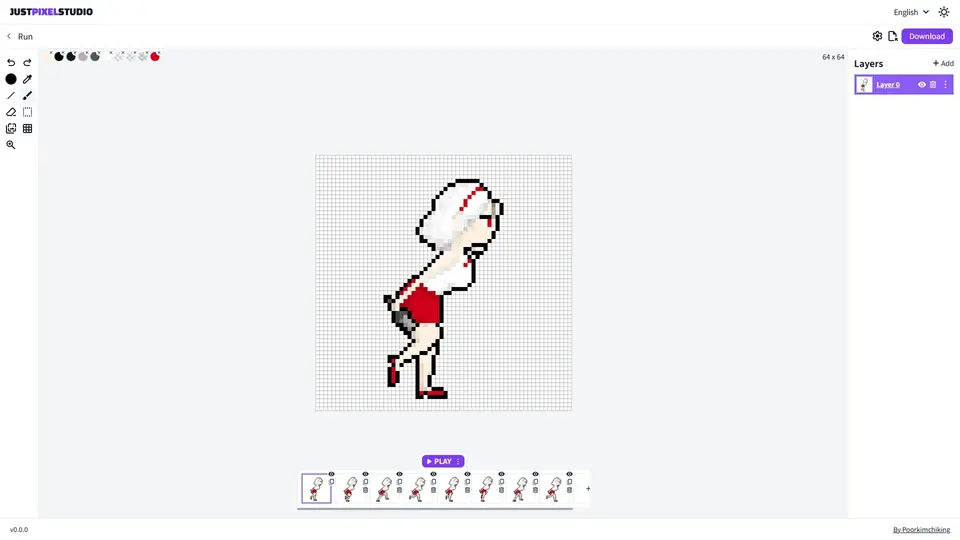
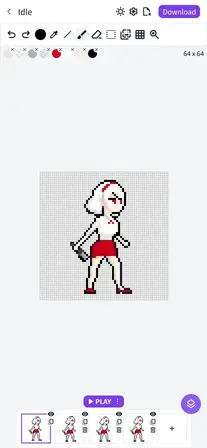
Users can create pixel art projects, open a project, edit scenes and layers, and export images.
Main areas:
- /canvas: project list page for creating, opening, renaming, duplicating, and deleting projects
- /canvas/:id: editor page for drawing pixel art on a square canvas
Project model:
- one project can contain multiple scenes
- each scene has a square canvas size such as 32, 64, or 96
- each scene contains multiple layers
- scene previews are shown on the project list page
Editor behavior:
- drawing is pixel-based, not vector illustration
- users work with tools such as brush, eraser, eyedropper, selection, grid toggle, and zoom
- layers can be shown, hidden, added, removed, and reordered
Important context for AI agents:
- this app is meant for creating and managing pixel art projects
- if window.pixelForAI exists, prefer that API over clicking the UI repeatedly
- project list actions belong to the /canvas page
- canvas drawing and layer editing belong to the /canvas/:id page


'%3e%3cpath%20d='M7.63473%2028.5466L20.2923%2015.8179L7.84319%203.29883C7.34653%203.61721%207%204.1669%207%204.8339V27.1664C7%2027.7355%207.25223%2028.2191%207.63473%2028.5466Z'%20fill='url(%23paint0_linear_87_8320)'/%3e%3cpath%20d='M30.048%2014.4003C31.3169%2015.0985%2031.3169%2016.9012%2030.048%2017.5994L24.9287%2020.4165L20.292%2015.8175L24.6923%2011.4531L30.048%2014.4003Z'%20fill='url(%23paint1_linear_87_8320)'/%3e%3cpath%20d='M24.9292%2020.4168L20.2924%2015.8179L7.63477%2028.5466C8.19139%2029.0232%209.02389%2029.1691%209.75635%2028.766L24.9292%2020.4168Z'%20fill='url(%23paint2_linear_87_8320)'/%3e%3cpath%20d='M7.84277%203.29865L20.2919%2015.8177L24.6922%2011.4533L9.75583%203.23415C9.11003%202.87878%208.38646%202.95013%207.84277%203.29865Z'%20fill='url(%23paint3_linear_87_8320)'/%3e%3c/g%3e%3cdefs%3e%3clinearGradient%20id='paint0_linear_87_8320'%20x1='15.6769'%20y1='10.874'%20x2='7.07106'%20y2='19.5506'%20gradientUnits='userSpaceOnUse'%3e%3cstop%20stop-color='%2300C3FF'/%3e%3cstop%20offset='1'%20stop-color='%231BE2FA'/%3e%3c/linearGradient%3e%3clinearGradient%20id='paint1_linear_87_8320'%20x1='20.292'%20y1='15.8176'%20x2='31.7381'%20y2='15.8176'%20gradientUnits='userSpaceOnUse'%3e%3cstop%20stop-color='%23FFCE00'/%3e%3cstop%20offset='1'%20stop-color='%23FFEA00'/%3e%3c/linearGradient%3e%3clinearGradient%20id='paint2_linear_87_8320'%20x1='7.36932'%20y1='30.1004'%20x2='22.595'%20y2='17.8937'%20gradientUnits='userSpaceOnUse'%3e%3cstop%20stop-color='%23DE2453'/%3e%3cstop%20offset='1'%20stop-color='%23FE3944'/%3e%3c/linearGradient%3e%3clinearGradient%20id='paint3_linear_87_8320'%20x1='8.10725'%20y1='1.90137'%20x2='22.5971'%20y2='13.7365'%20gradientUnits='userSpaceOnUse'%3e%3cstop%20stop-color='%2311D574'/%3e%3cstop%20offset='1'%20stop-color='%2301F176'/%3e%3c/linearGradient%3e%3c/defs%3e%3c/svg%3e)
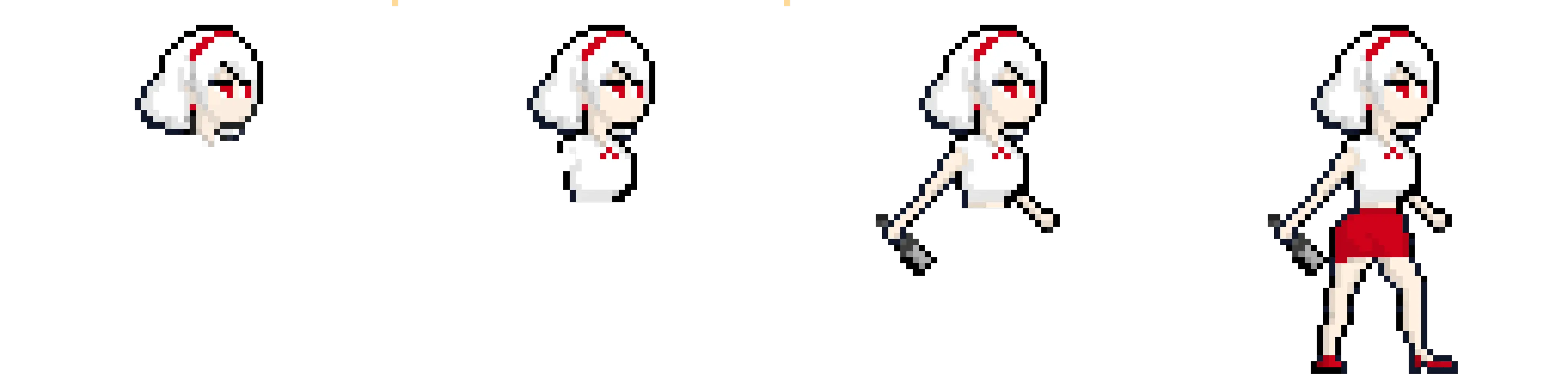
Create pixel art with ease.
No prior learning required—only the essential tools you need.
- Brush
- Color
- Eraser
- Selection/Move
- Undo/Redo

Create frame-by-frame animations.
JUST PIXEL STUDIO is designed for creating GIFs or sprite sheet animations. Build your scenes and play them back.


Download your projects.
Download files in the following formats at no cost.
- .gif
- .png(s)
- .zip
🙃
“I wanted to get into pixel art as a hobby, and it was easy to get started.”
J***
💪
“One pixel a day!”
H***
🙆
“No complicated features—simple and neat.”
R***
😎
“I had nowhere to use my iPad Pencil, but I can use it here!”
R***
👀
“It’s very simple.”
A***
😎
“Great for beginners.”
K***
🙃
“I wanted to get into pixel art as a hobby, and it was easy to get started.”
J***
💪
“One pixel a day!”
H***
🙆
“No complicated features—simple and neat.”
R***
😎
“I had nowhere to use my iPad Pencil, but I can use it here!”
R***
👀
“It’s very simple.”
A***
😎
“Great for beginners.”
K***
START NOW!
Try drawing it right now.